 Join Community



Paste a build JSON (aoe4guides.com export or Creator export). It will open in the editor.
Work out exactly what your economy produces and the cleanest path to extra Town Centers. Pick a civ and age, assign your villagers, and the numbers update live. Gather rates account for each civ's economic bonuses.
Overview
AoE4 Command Center is a free companion app for Age of Empires IV covering everything from learning builds to reviewing your games — no account required, no installs, works in any browser.
The app has eight tabs — War Room (your in-game build order hub), Creator (build your own orders), Tier List, Compare, Rivals, Upper Hand, Analysis (post-game review), and this guide.
War Room
The War Room is your in-game command hub. Browse community builds, load one into the timer, and follow step-by-step in real time. The left panel holds all your controls; the right panel shows the full build order steps.
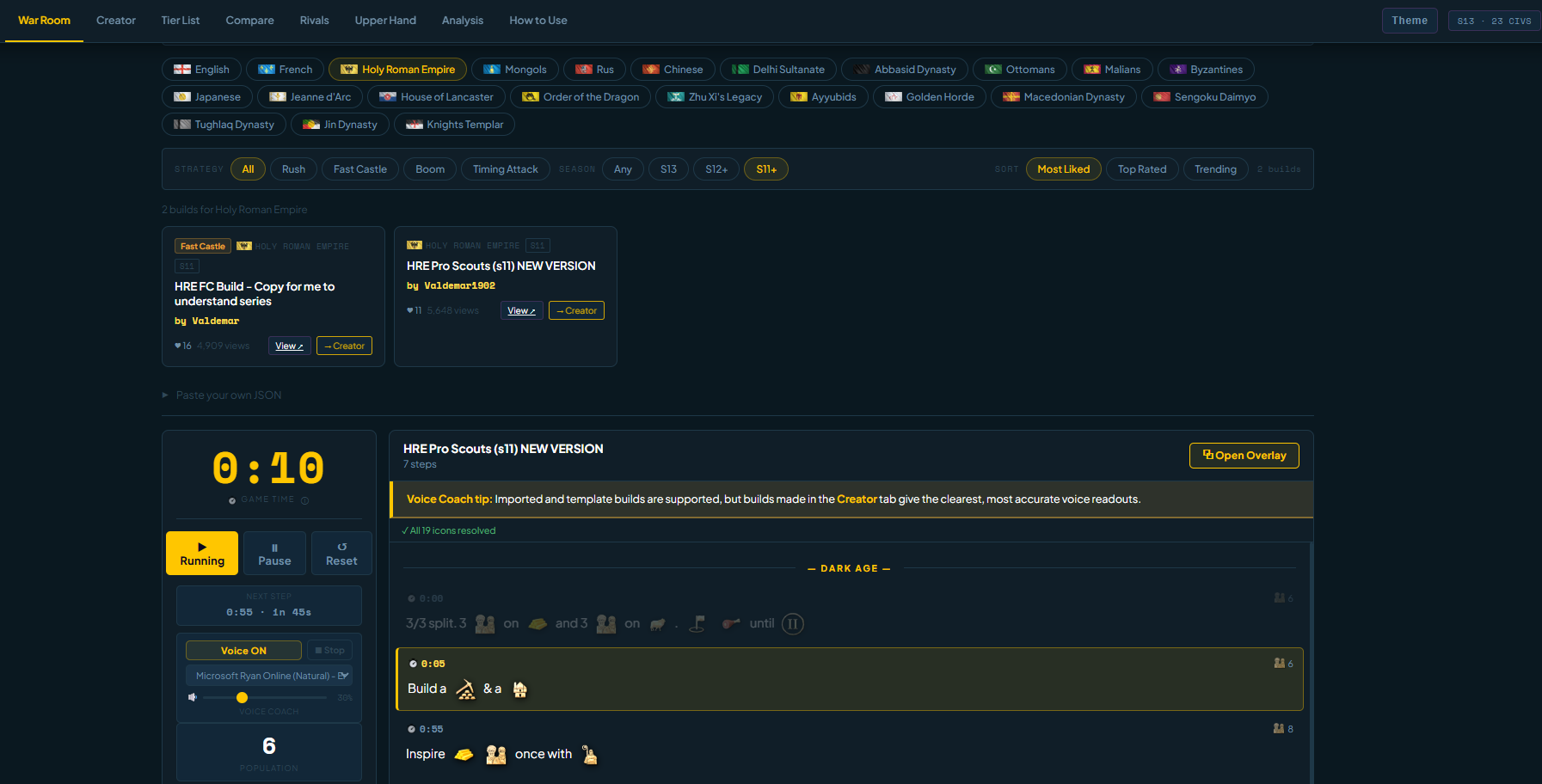
Browsing Builds
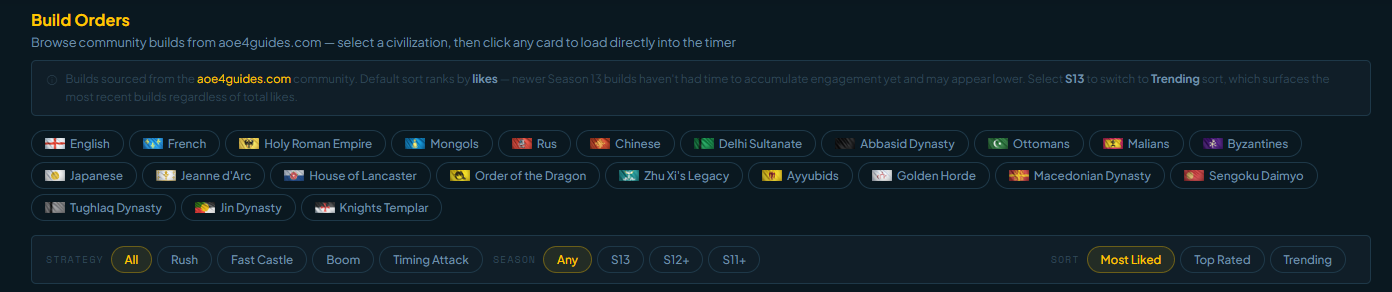
Builds come directly from the aoe4guides.com community. Use the filters at the top of the War Room to narrow down by civilization, season, strategy, and sort order — then click any card to load it straight into the timer.
- Civilization filter — select a civ to see only builds for that civ
- Season — filter by Any, S13, S12+, or S11+ to surface relevant builds
- Strategy — narrow by Rush, Fast Castle, Boom, or Timing Attack
- Sort — Most Liked, Top Rated, or Trending. Selecting S13 automatically switches to Trending so newer builds surface first
The Timer
The timer runs alongside your game — start it when your match begins. When a step's timestamp is reached, the step auto-advances, plays a beep, and the Voice Coach reads it aloud.
- ▶ Start — begins the timer from the current position
- ⏸ Pause — freezes the timer; Voice Coach pauses mid-sentence
- ↺ Reset — returns to 0:00 and step 1
- Next Step — shows a countdown to the next timed step
- Population — updates to reflect the current step's pop count
- Food / Wood / Gold / Stone — villager assignments per step
Reading the Steps
The right panel shows every step in the build. The currently active step is highlighted in gold. Age headers divide the list into phases.
- Each step shows the game time, icon(s) representing what to do, and a text description
- The population count for that step is shown on the right
- Click any step to jump straight to it — useful for reviewing ahead or catching up mid-game
- Use ◀ Prev / Next ▶ in the left panel to step through manually
Voice Coach
The Voice Coach reads each step aloud as it triggers so you can keep your eyes on the game. It is on by default.
- Voice ON / Voice OFF — toggles the coach on or off
- Slow / Normal / Fast — controls the speech rate
- Voice selector — choose from available system voices (UK, US, AU English grouped separately)
- Volume slider — independent of your system volume
Game Overlay
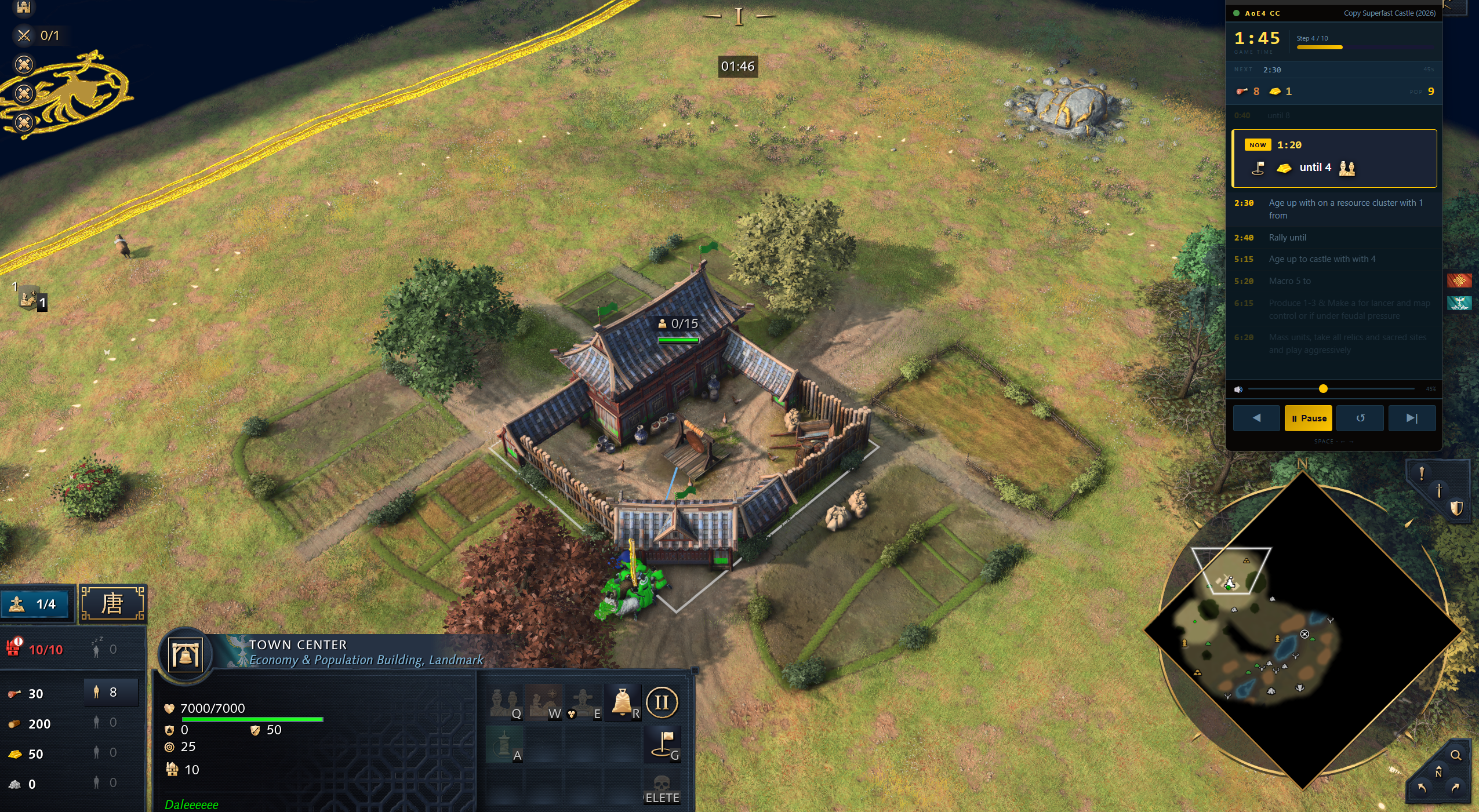
The Game Overlay is a floating window that stays on top of AoE4 while you play. No alt-tabbing needed — your current step is always visible.
- Click ⧉ Open Overlay in the steps panel to launch it
- Drag it anywhere on your screen and resize to your preference
- Shows the current step, upcoming steps, and live timer
- Stays in sync with the War Room timer automatically
- Close it with the × button when done
There is also a Mini Overlay mode — a stripped-back version that shows only the previous, next, and start controls alongside a plain-text readout of the build order steps, with no icons. Useful if you want the smallest possible footprint on your screen or prefer a cleaner look without the icon graphics.
Creator
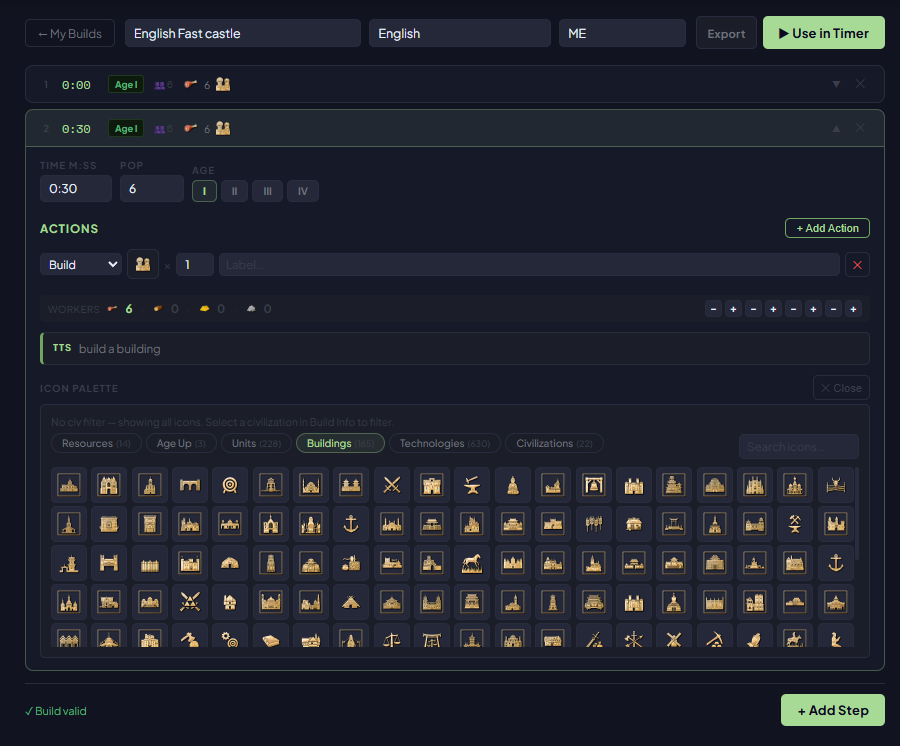
The Creator tab lets you build your own build orders from scratch. Saved builds live in your browser and can be loaded directly into the War Room. Builds you make here produce the best Voice Coach results.
Creating a New Build
- Click + New Build in the top-right of the Creator tab
- Give your build a name — this appears on the card and in the War Room header
- Select the civilization it's designed for (or leave as Any)
- Optionally fill in Author, Strategy, and Season
- All fields auto-save as you type — no save button needed
Adding Steps
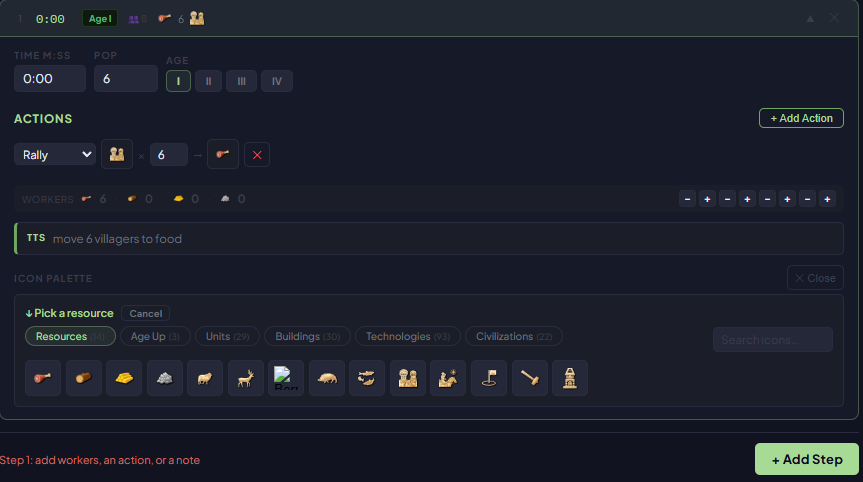
Each step represents one instruction — a villager assignment, a building to construct, or an age-up trigger.
- Scroll down to the steps section and click + Add Step
- Set the time (e.g.
1:30) — leave at 0:00 for untimed steps - Set the population count for this point in the build
- Optionally fill in Food / Wood / Gold / Stone villager assignments
- Write the step note — plain text, or use the icon picker to insert icons
- Use the ↑ ↓ arrows to reorder, or the trash icon to delete
Icon Picker
Insert in-line AoE4 icons into your step notes — the same icons you see in community builds. Icons are automatically converted to plain-English names when the Voice Coach reads them.
- Click the icon button next to a step's note field
- Filter by civilization to find civ-specific units and buildings
- Search by name using the search box
- Click any icon to insert it at the cursor position
Loading a Creator Build into the War Room
Once your build is ready, click ▶ Use on its card. You'll be taken straight to the War Room with the build loaded and ready.
Tier List
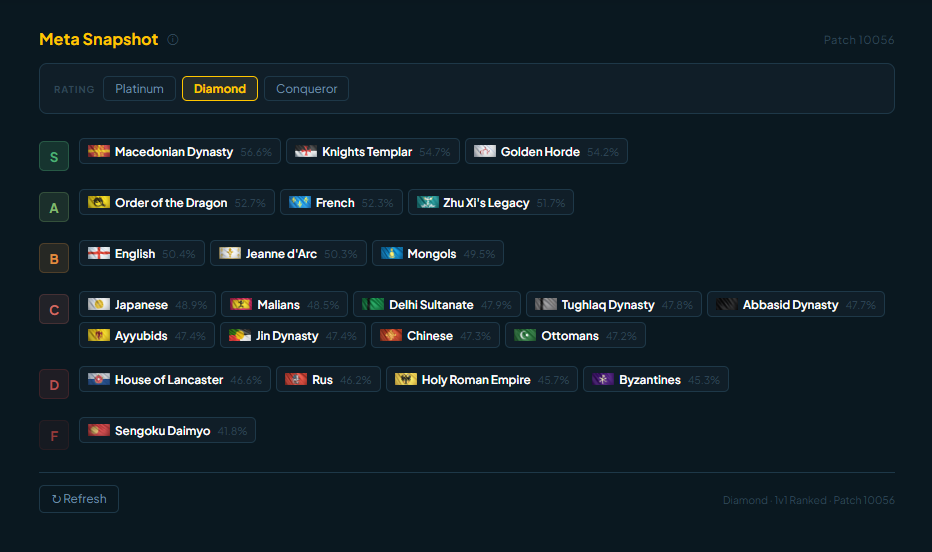
The Tier List tab shows live win rates for all 23 civilizations sourced directly from aoe4world. Filter by rank bracket to see how each civ performs at your skill level — not just globally.
- Win rates are calculated as wins ÷ total games at that exact rank bracket
- Filter by rank to see data relevant to your level (e.g. Platinum only, not Platinum+)
- Data refreshes every 8 hours — use the Refresh button for the latest figures
Compare
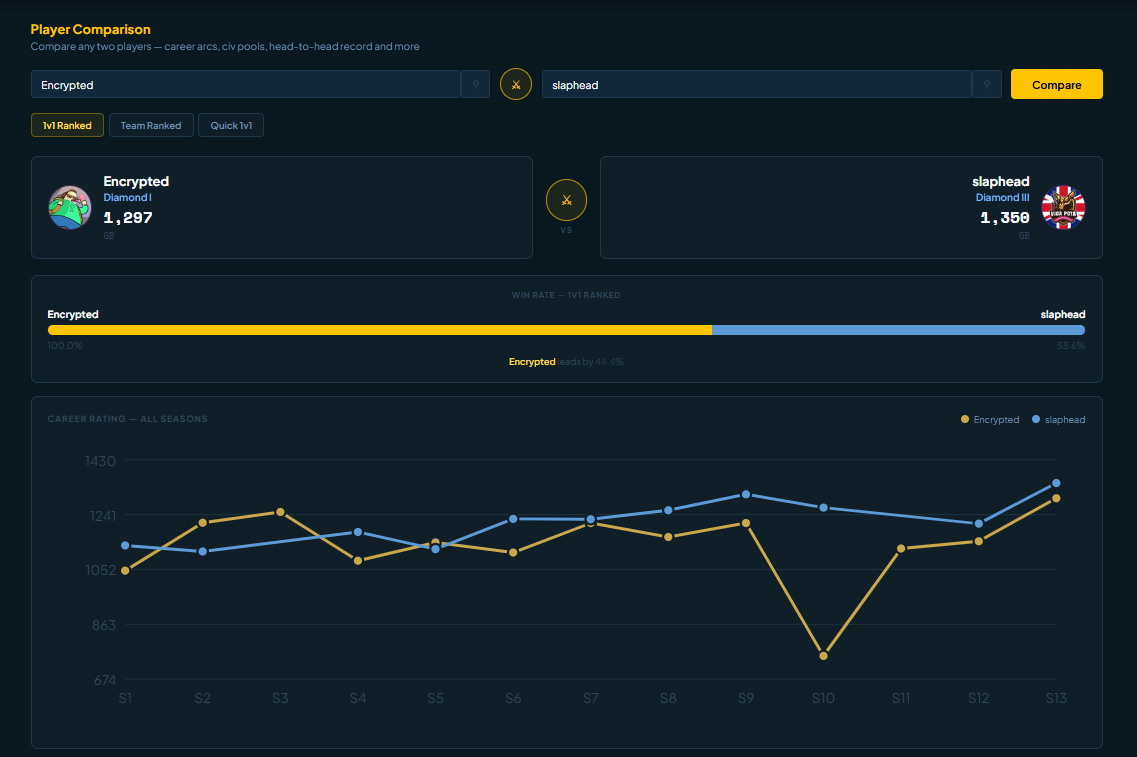
The Compare tab lets you pit two players head-to-head. Enter any two usernames and see their ranked stats side-by-side — career arcs, civ pools, head-to-head record, win rates, and more. Useful for scouting opponents or settling debates with friends.
- Search for any two players by username
- Switch between 1v1 Ranked, Team Ranked, and Quick 1v1
- See rating history, favourite civs, and direct head-to-head results
Rivals
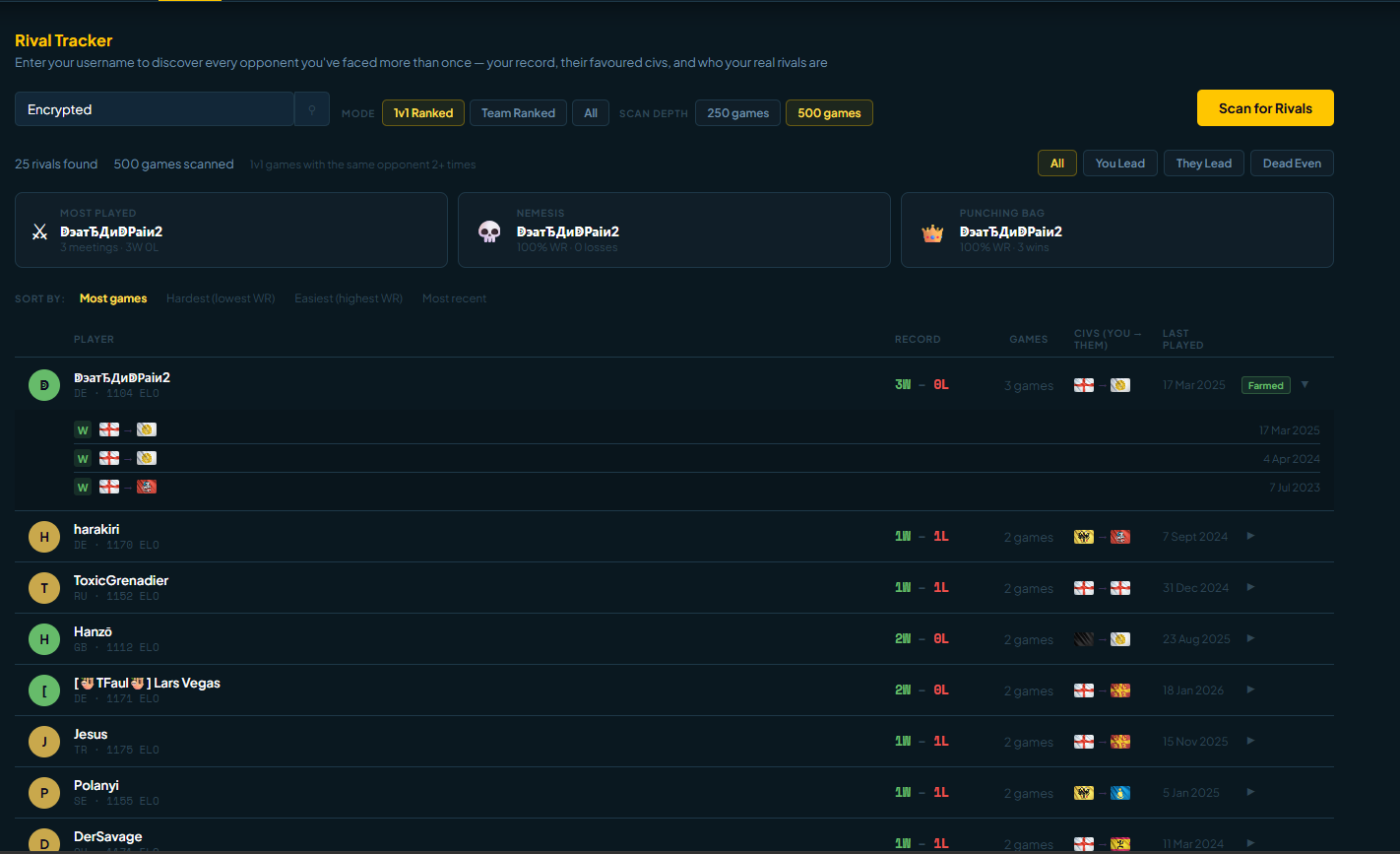
The Rivals tab scans your recent match history and surfaces every player you've faced more than once — your record against each of them, their preferred civs, and how often you run into them. Find out who your true rivals are.
- Enter your username and click Scan for Rivals
- Choose scan depth: 250 or 500 games
- Filter by mode — 1v1 Ranked, Team Ranked, or All
- Each rival card shows your win/loss record and their most-played civs
Upper Hand
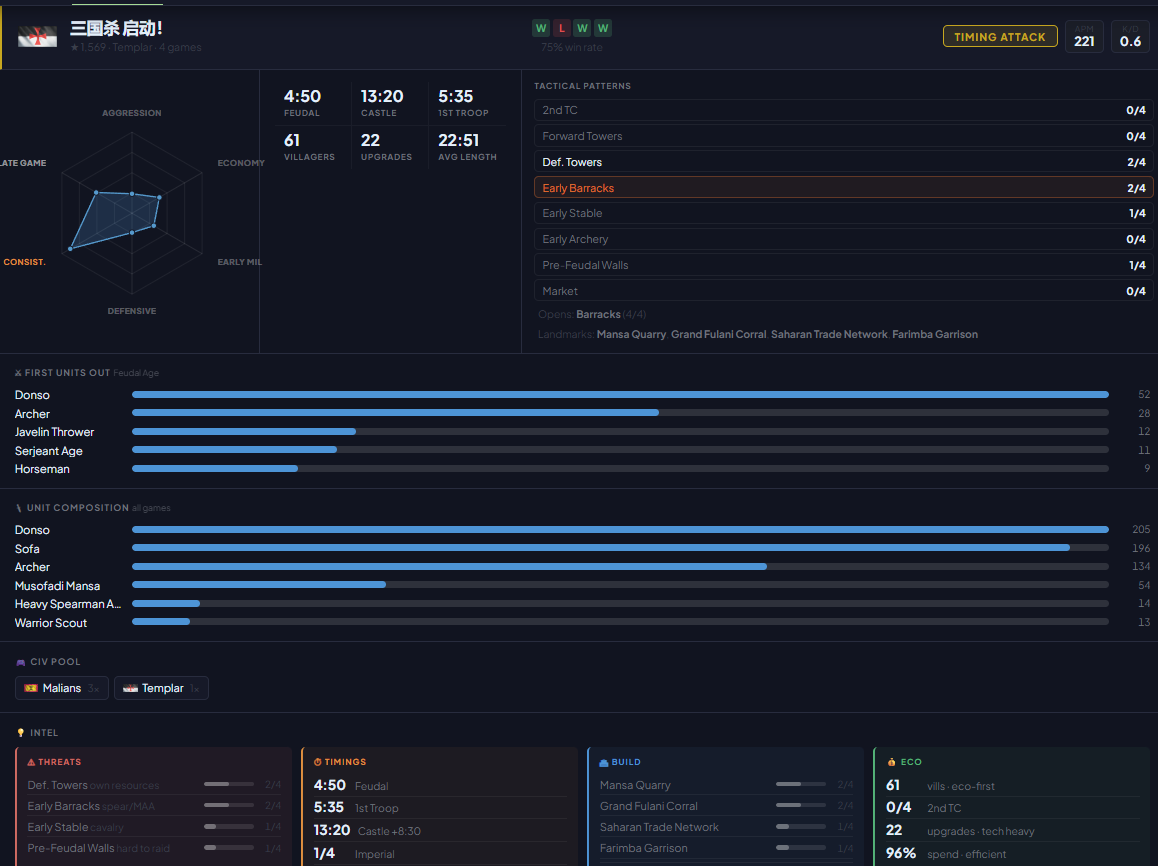
Upper Hand gives you an edge before the first villager drops. Enter your username, scan your live game, and the app auto-detects every opponent — then generates a scouting report from their recent games so you know exactly what to expect. Works for 1v1 and team games.
- Enter your username and click Scan Live Game
- The app detects all enemy players automatically
- Click Generate Report for a breakdown of their recent form, favourite civs, and patterns
- In team games, switch between opponents using the tabs at the top of the report
Analysis
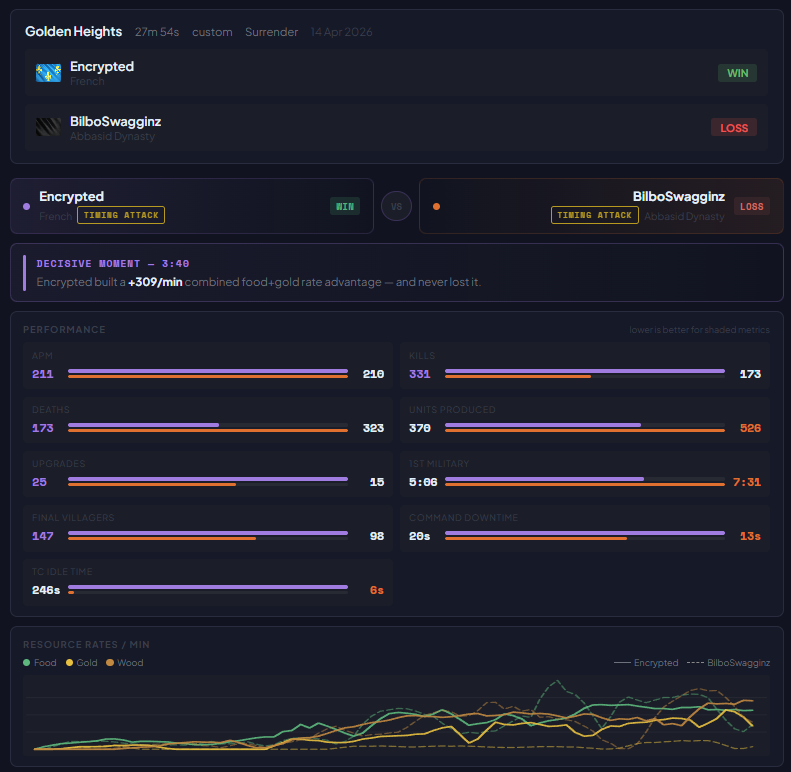
The Analysis tab lets you review any completed game in depth. Paste a game URL from aoe4world.com or drop in raw game JSON and the app builds a full visual breakdown — no guessing, just data.
Loading a Game
- Go to aoe4world.com and find the game you want to review
- Open the game summary for the game you want to review, then copy the URL from your browser's address bar
- Paste it into the input box in the Analysis tab and press Analyse
- Alternatively, paste raw game JSON directly if you have it
The Dashboard
Once a game loads you get a full visual breakdown across several panels:
- Performance — APM, kills, deaths, units produced, upgrades, villagers, TC idle time, and first military timing for both players
- Resource Rates / min — food, gold, wood, and stone gather rates over time on one chart. Hover to see exact values at any point in the game
- Spend Rate — what percentage of gathered resources each player actually converted into units or upgrades
- Age-Up Efficiency — how much each player had banked at the moment they aged up. CLEAN means they timed it well; FLOAT or WASTED means resources were sitting idle at the transition
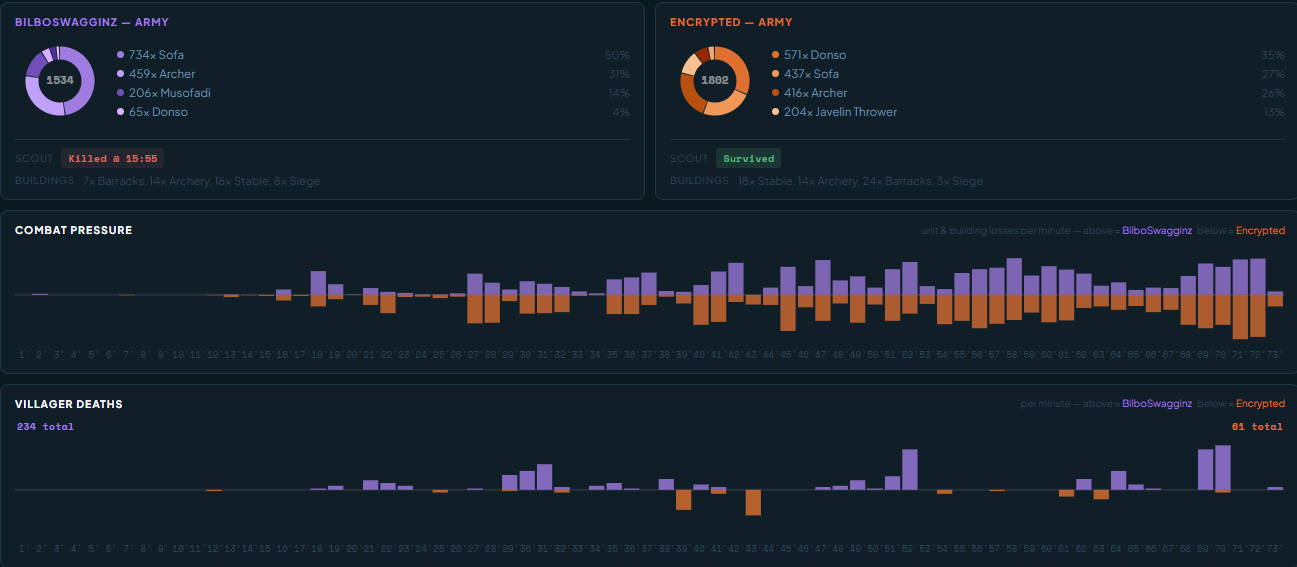
- Army Composition — donut charts showing each player's unit breakdown by type and count
- Combat Pressure — a per-minute timeline of unit and building losses, showing when fights happened and who took more damage
- Villager Deaths — per-minute raid damage for both players
Match Breakdown — Why Did I Lose
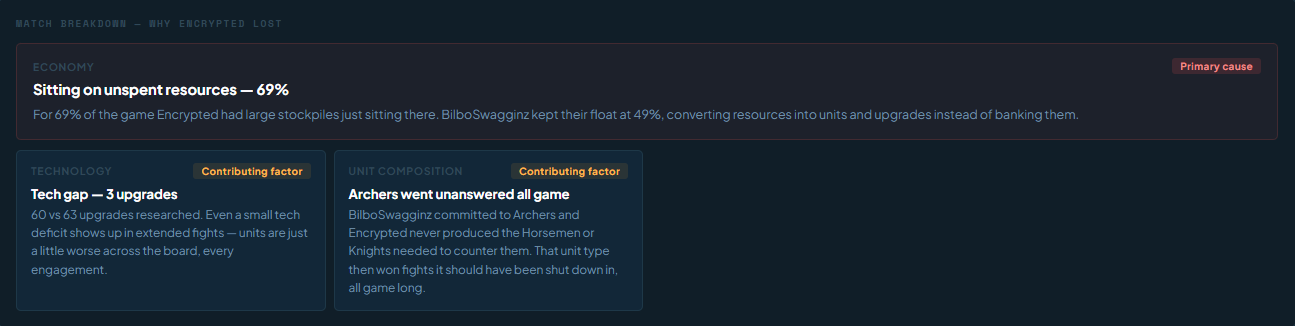
Below the dashboard the app runs an automated analysis and identifies the most likely reasons the losing player lost. Findings are ranked by severity — the primary cause is shown first, followed by contributing factors.
Factors analysed include:
- Age Timing — how far behind the loser was reaching Feudal and Castle Age
- Economy — villager count gap, TC idle time, resource float, spend rate
- Combat — army trade ratio (kill/death), villager harassment
- Technology — upgrade count gap
- Strategy — playstyle mismatch (e.g. booming into a rush)
- Unit Composition — combat triangle mismatches (spears beat cavalry, cavalry beat archers, and so on)
- Siege — whether the opponent had a significant siege advantage that went unanswered
Keyboard Shortcuts & Tips
| Key | Action |
|---|---|
| Space | Advance to next step (when timer is paused) |
| → | Next step |
| ← | Previous step |
| R | Reset timer to 0:00 |
General Tips
- Always check Game Speed matches your in-game setting before a match
- Use the Game Overlay so you never have to alt-tab mid-game
- Click any step in the steps panel to jump to it — great for reviewing a build before a game
- For S13 builds, select the S13 season filter — it automatically switches to Trending sort so the newest builds surface first
- Use Export JSON in the Creator regularly — it's your only backup if browser storage is cleared
- The Theme button in the top bar offers 50 themes — find one that works well over your overlay setup

Your Data & Storage
All builds you create in the Creator are saved in your browser's local storage. Here's what that means in practice:
| Scenario | Your builds |
|---|---|
| Close the tab / browser | ✓ Safe |
| Restart your computer | ✓ Safe |
| Browser update | ✓ Safe |
| Clear browser cache / cookies | ✗ Wiped |
| Incognito / private mode | ✗ Wiped on window close |
| Different browser on same PC | ✗ Not visible |
| Different device | ✗ Not visible |
Feedback & Community
AoE4 Command Center is a passion project built for the community. If you run into a bug, something doesn't feel right, or you have an idea that would make the app better, please come and let us know. Every report helps.
The best place to reach us is the Discord server. Drop a message in there with whatever you've found a screenshot, a game URL, or just a description and we'll look into it.
None of this would be possible without aoe4world.com and aoe4guides.com. The vast majority of the data powering this app comes from their platforms and communities. AoE4 Command Center isn't trying to replace either of them — it's simply bringing their data together in one place to give you a wider view. If you find it useful, go show them some love too.
Thank you for using AoE4 Command Center. It genuinely means a lot. Good luck out there, and may your villager idle time be zero.